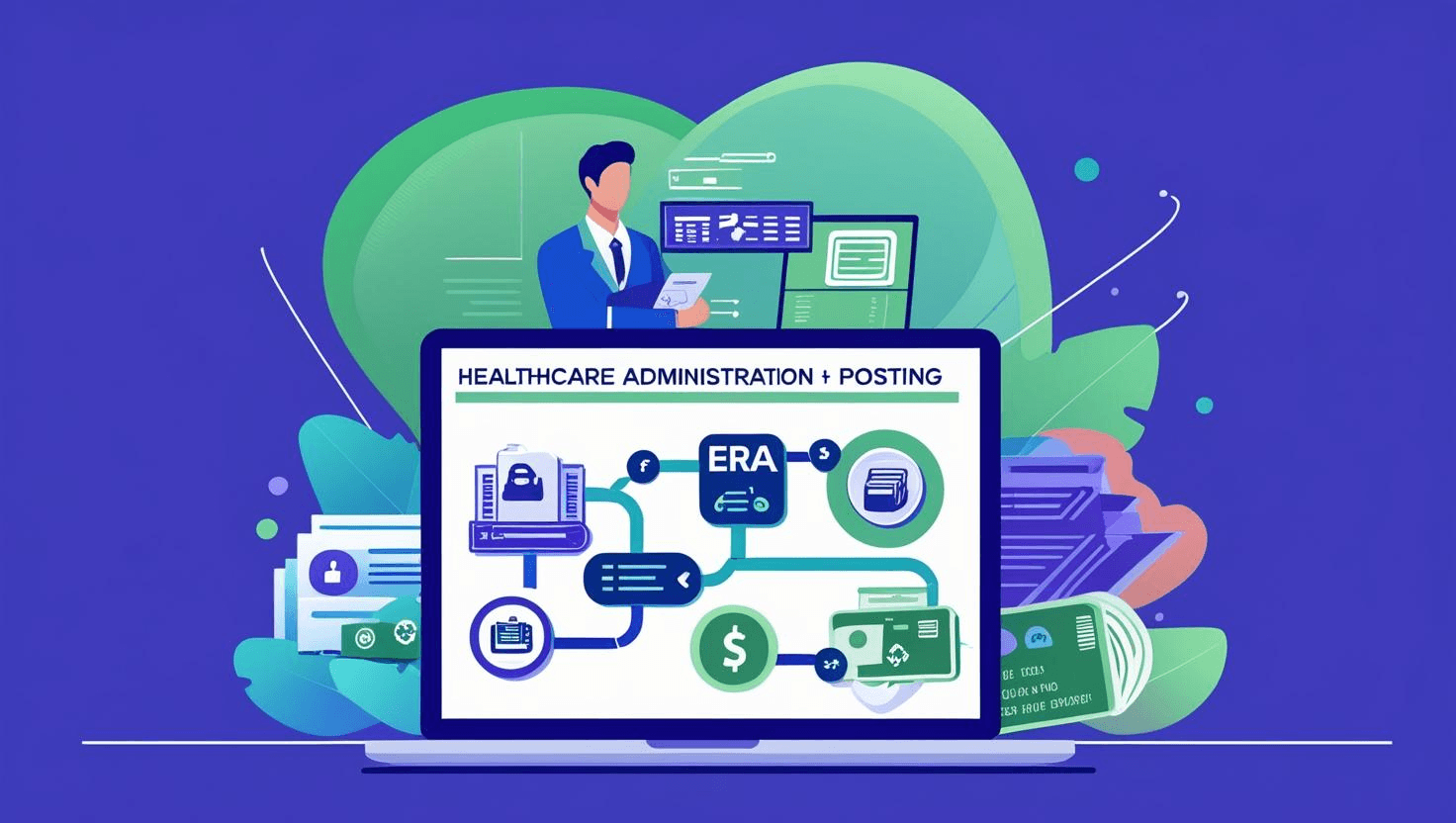
The file says “processed.” The payment? $0.00.
The reason code? Vague.
The next step? 🤷♀️
Welcome to the ERA rabbit hole.
Every day, healthcare billing teams open Electronic Remittance Advice (ERA) files expecting automation and end up doing manual detective work instead. Between mismatched formats, missing codes, partial payments, and denial spaghetti, ERA posting is supposed to be fast. Instead, it’s a bottleneck.
Here’s the part no one says out loud:
ERAs were built for systems, not for people.
That’s why most payment posting teams still have a spreadsheet for tracking exceptions, a checklist taped to their monitor, and a mild headache from flipping between portals.
This isn’t just a definition post. It’s the real guide to making ERA payment posting work—for real humans in real healthcare teams.
You’ll learn what ERA posting should look like, where it breaks down, and how to streamline the whole process, without duct-taping five tools together or filing a ticket with IT.
Let’s decode the mess, clean it up, and put your team back in control.
What Is ERA Payment Posting?
ERA stands for Electronic Remittance Advice—an automated file format (usually an EDI 835 transaction) that insurance payers send to explain how a submitted claim was processed.
In theory, it’s a cleaner, faster alternative to paper-based EOBs.
In practice? It’s a mixed bag.
When it works, ERA payment posting lets your system:
Automatically match a claim to a payment
Apply the allowed amount
Record any adjustments
Flag denials for review
No paper, no manual entry, no stress.
But that’s only when it works.
What ERA Posting Should Do
ERA automation is supposed to eliminate:
Manual entry of payment data
Hand-typing adjustment or denial codes
Guesswork about what’s covered and what’s not
And it’s supposed to enable:
Faster revenue cycle times
Real-time cash posting
Cleaner financial reports
Easier denial management
When a clean ERA hits a clean claim, it does all of those things.
But Here’s What Actually Happens
More often than not, the ERA process looks like this:
The file loads, but one claim doesn’t match a patient record
A payer uses an outdated code or forgets a modifier
The system can’t parse a weird CPT bundle
Your team still has to go line by line, applying adjustments and typing notes
Someone manually enters CO-45, PR-1, or CO-197 because your system couldn’t figure out what to do with them
According to the CAQH Index, more than 1 in 3 remittance advice transactions still require human intervention. And when they do, they chew up time, introduce error risk, and slow down everything downstream.
ERA payment posting is not a fully automated system. It’s a framework.
And that framework needs help.
That’s where best practices—and smart automation—come in. But first, we need to understand why ERA posting matters more than most teams realize.
Why ERA Payment Posting Matters More Than Ever
ERA posting doesn’t get the spotlight, but it controls more than most people realize.
When it’s clean and fast, your revenue cycle runs like a machine:
Cash comes in, ledgers are balanced, patients are billed promptly, and denials get worked before they hit aging.
But when ERA posting breaks down?
Cash flow slows
Denials pile up
Reports get skewed
Patients get billed late or incorrectly
And the team spends hours on work that should take minutes
It’s Not Just a Billing Task. It’s a Cash Flow Lever.
Every day you delay posting = a day you delay revenue recognition.
If your system’s waiting on manual posting to finalize patient balances, you can’t bill them. If secondary claims can’t be triggered until the primary payment is posted, your collections timeline stretches even further.
According to MGMA, a 5–10 day lag in posting can delay patient collections by 30+ days, especially when paired with slow mail, staff shortages, or unclear statements.
Denials Hide in ERA Gaps
Every payer formats their ERA a little differently. One includes a code modifier, another doesn’t. One bundles CPTs, the next itemizes everything.
When your system can’t interpret that variation, or can’t match the ERA to the claim on file, your team is left with unpaid, unmatched, and unreviewed denials.
Even worse? Many teams don’t even realize a claim wasn’t posted properly until they’re reconciling month-end reports—and by then, appeal windows may already be closing.
Compliance Is on the Line, Too
If you’re audited and your ledger doesn’t align with your ERAs, it’s a problem. If denial codes are entered inconsistently, it’s a problem.
If write-offs aren't tracked correctly? Problem.
ERA posting is directly tied to how accurately you track:
Adjustments
Write-offs
Patient responsibility
Secondary billing triggers
If you’re still doing this manually (or inconsistently), you’re flying without documentation—and that doesn’t hold up in an audit.
If You Don’t Prioritize ERA Posting, You’re Losing Money—Quietly
It doesn’t show up in a single red flag.
It shows up in aging AR.
In missed denials.
In patients who are confused—or pissed—because their bill was late or wrong.
In burned-out billing staff who can’t focus on high-value tasks because they’re cleaning up claims your system should’ve handled in the first place.
And yet, all of that can be fixed—not by adding headcount or switching platforms, but by implementing the right process and automation layer around ERA posting.
That’s what we’re walking through next.
How ERA Payment Posting Works (Step-by-Step Guide)
Let’s say you’re doing everything “by the book.” A claim gets submitted, processed, and paid. You receive the ERA file from the payer. Technically, you're done, right?
Not even close.
Here’s what should happen... and what usually does.
Step 1: Receive the ERA File
The payer sends an ERA (usually in EDI 835 format) through your clearinghouse or directly into your billing system.
In theory: The file is clean, timely, and mapped to the exact claim in your system.
In reality:
The file arrives... but not every claim matches
A few payers send PDFs, not actual ERA files
Secondary info is missing
One payer splits a single payment across 17 claims and formats it like a Sudoku puzzle
Tool examples:
Availity, Waystar, Change Healthcare clearinghouses
Direct delivery via payer portal
Step 2: Import Into Your Billing System
The ERA data is matched to the claim and auto-posted—or so the platform claims.
In theory: You hit “import,” the system matches the claim, applies the payment, and handles adjustments automatically.
In reality:
Some claims post, others kick out
Denials don’t trigger next steps
CO-45 and PR-1 codes get logged without context
A few lines go missing altogether
This is where teams start losing time and accuracy.
Step 3: Review Exceptions and Zero-Pays
This is the part that still belongs to humans (for now).
You’re manually checking:
Claims paid at $0 (why?)
CO/PR codes that require follow-up or write-offs
Whether adjustments match contract rates
If payment equals allowed amount
This is where burnout creeps in. You’re doing high-volume, low-cognitive work—scrolling, copying, checking, typing.
Automation opportunity:
This is exactly where Magical helps—automating:
CO-45 write-offs
PR-1 patient balance transfers
Standard note entry
Manual posting from PDFs or portals
Step 4: Post Adjustments and Secondary Balances
If a claim was underpaid or unpaid, it’s time to:
Apply contractual adjustments
Transfer remaining balance to the patient
Flag denials for appeals or correction
Update the ledger with next steps
Pain point: Different billers handle this differently. Notes vary. Codes get entered inconsistently. This breaks reporting, appeals, and audit trails.
Best practice: Use standardized templates or snippets to eliminate variation, especially for common denial and adjustment codes.
Step 5: Reconcile and Finalize
You match your ERA data against:
Bank deposits
Daily payment reports
Outstanding balances
Then close out or escalate what’s left.
If this sounds simple on paper but chaotic in practice, you’re not alone. ERA workflows tend to collapse at the seams—not because the system fails, but because it assumes perfect inputs.
That’s why automation isn’t optional. It’s survival.
Best Practices for ERA Payment Posting
Whether you're a solo biller or managing a multi-site RCM team, these best practices will help you post faster, reduce rework, and keep your financials audit-ready.
This isn’t theory—it’s how top healthcare teams are making ERA posting consistent, scalable, and far less painful.
Don’t Trust, Verify: Review ERAs Before Posting
Just because a file comes in clean doesn’t mean it’s correct.
Always review
Claim match accuracy
Line-item payment details
Adjustments vs. contract terms
Denials hiding in bundled payments
Use a quick ERA checklist before pushing “post.”
Use Magical to pull key fields from PDFs or web portals into your checklist or EHR—instantly.
Create Standard Templates for Common Adjustment & Denial Codes
Posting a CO-45 or PR-1 shouldn't require original thought every time.
Best move:
Create pre-written note templates for common scenarios
Use the same language, codes, and tags across your team
Build automation triggers where possible
Why it matters: Consistency = better audit trails, faster appeals, and cleaner data.
Triage ERA Exceptions Daily (Not Just at Month-End)
It’s easy to ignore a few mismatched claims or $0 pays. Until it’s not.
Best move:
Review all unposted ERA lines daily
Sort by payer, code type, or dollar value
Escalate denials and short-pays same-day
Why it matters: Timely review shortens the appeal cycle and keeps AR healthy.
Automate the Manual Last Mile
Even with ERA auto-posting, most systems leave 10–30% of claims requiring human cleanup.
Common manual tasks:
Copying values into posting screens
Entering standardized denial notes
Reclassifying balances (insurance → patient)
Navigating payer portals for missing data
Use Magical to:
Auto-fill forms
Apply condition-based snippets
Eliminate repetitive typing
Standardize zero-pay workflows
Work across Epic, Kareo, Availity, eCW, and others
Bonus: No dev team required. Your billers can build their own automation.
Use ERA Data to Train the Front-End
Payment posting reveals more about front-end problems than any dashboard.
Best move:
Track and report top denial reasons
Share recurring issues with front desk and clinical teams
Use real ERA screenshots in training
Why it matters: Clean inputs = clean payments. Posting is just the last stop on the revenue train.
Reconcile in Real-Time, Not in Batches
If you're still reconciling ERA data with deposits once a week—or worse, once a month—you're leaving problems to pile up.
Best move:
Match posted payments to deposit reports daily
Flag mismatches for review
Use dashboards or checklists to spot trends
Clean reconciliation = clean reporting, faster close, and fewer audit flags.
ERA posting doesn’t have to be a mess. When you standardize processes, automate the repetitive stuff, and build in quality checks, it becomes a strategic advantage instead of a daily drag.
Real-World Impact: How Teams Are Streamlining ERA Posting with Magical
The idea of “automating ERA posting” sounds great in theory. But what does it look like in practice—when the payer formatting is off, the EHR is locked down, and your team is already behind?
Here’s how real billing teams are using Magical to streamline the messiest parts of ERA posting—without changing their systems, retraining their staff, or calling IT.
ZoomCare: From Manual Headaches to 80+ Hours Saved Per Month
ZoomCare’s billing team handles thousands of claims per week across multiple systems. Their EHR did auto-posting… but only for clean ERAs. For everything else?
Manual entry. Repetitive notes. Workflow sprawl.
With Magical:
Admins automated common denial responses (like CO-45, PR-1)
Snippets were triggered based on payer or code type
ERA data from PDFs and portals was posted instantly into Epic
The result? Over 80 hours/month saved—and a billing team that could finally focus on denials, not data entry.
WebPT: Standardizing Payment Posting Across RCM Teams
WebPT’s internal RCM teams manage claims for hundreds of providers. Even with automation inside their system, inconsistencies in how different billers handled denials and adjustments led to rework, training gaps, and appeal delays.
With Magical:
Shared snippets ensured every team handled zero-pays, short-pays, and adjustments the same way
Notes were standardized across the board, eliminating vague or missing audit documentation
ERA data could be pulled into their workflow from any browser-based system
The result? Clean handoffs, better compliance, and faster onboarding of new billing staff.
TCPA Team: Posting Fast, Auditing Faster
This healthcare org had a non-negotiable need: every payment and adjustment needed to be traceable, reproducible, and compliant under TCPA and internal audit scrutiny.
With Magical:
Every automation was tied to a user, timestamped, and logged
Notes were applied consistently across all ERA types
Teams used snippet logic to prevent errors on sensitive accounts
The result? Fewer errors, faster compliance audits, and no more backlog of manually flagged ERA lines.
These aren’t unicorn stories. They’re teams just like yours—dealing with browser-based systems, fragmented workflows, and not enough hours in the day.
They didn’t overhaul their tech. They just added the one layer that made everything else finally work.
The Future of ERA Posting Is Adaptive, AI-Powered, and Human-Friendly
You can’t keep scaling manual work.
You can’t expect billers to memorize 40 denial codes, flip between three portals, and still hit clean-posting rates under pressure.
Not when claim complexity is growing.
Not when payer formatting keeps changing.
And definitely not when your team is already stretched thin.
So what’s next?
It’s not more software. It’s smarter support.
It’s automation that works with your team, right inside their workflow.
No switching systems.
No retraining.
No ticket to IT required.
It’s AI as a digital coworker, not a replacement.
AI Handles the Monotony. Humans Handle the Exceptions.
That’s the real future.
ERA posting is about 70–90% repeatable patterns:
CO-45 = write-off
PR-1 = transfer to patient
$0 balance = tag and file
Same four notes used 100 times a week
Let AI handle that.
Let your billing team focus on what moves revenue:
Unpacking payer errors
Appealing questionable denials
Spotting trends across multiple clinics
Communicating with patients or providers
Closing the books cleanly
Magical doesn’t replace your people. It makes their jobs suck less—and their impact stronger.
This Isn’t a Dream. It’s Available Today.
No long implementation cycles.
No vendor sales deck required.
No “we’ll circle back in Q4.”
With Magical, your team can:
Automate repetitive ERA tasks today
Standardize posting workflows across multiple users and locations
Save time without giving up control
Prove the ROI in days, not quarters
It’s why top teams in healthcare billing are already building their own AI-powered posting workflows—and finally ditching the manual busywork that’s been slowing them down for years.
Ready to Post Smarter, Not Harder?
👉 Book a demo and see how your team can start automating ERA posting—without changing your systems.
Because ERA doesn’t have to be a bottleneck.
It can be your edge.