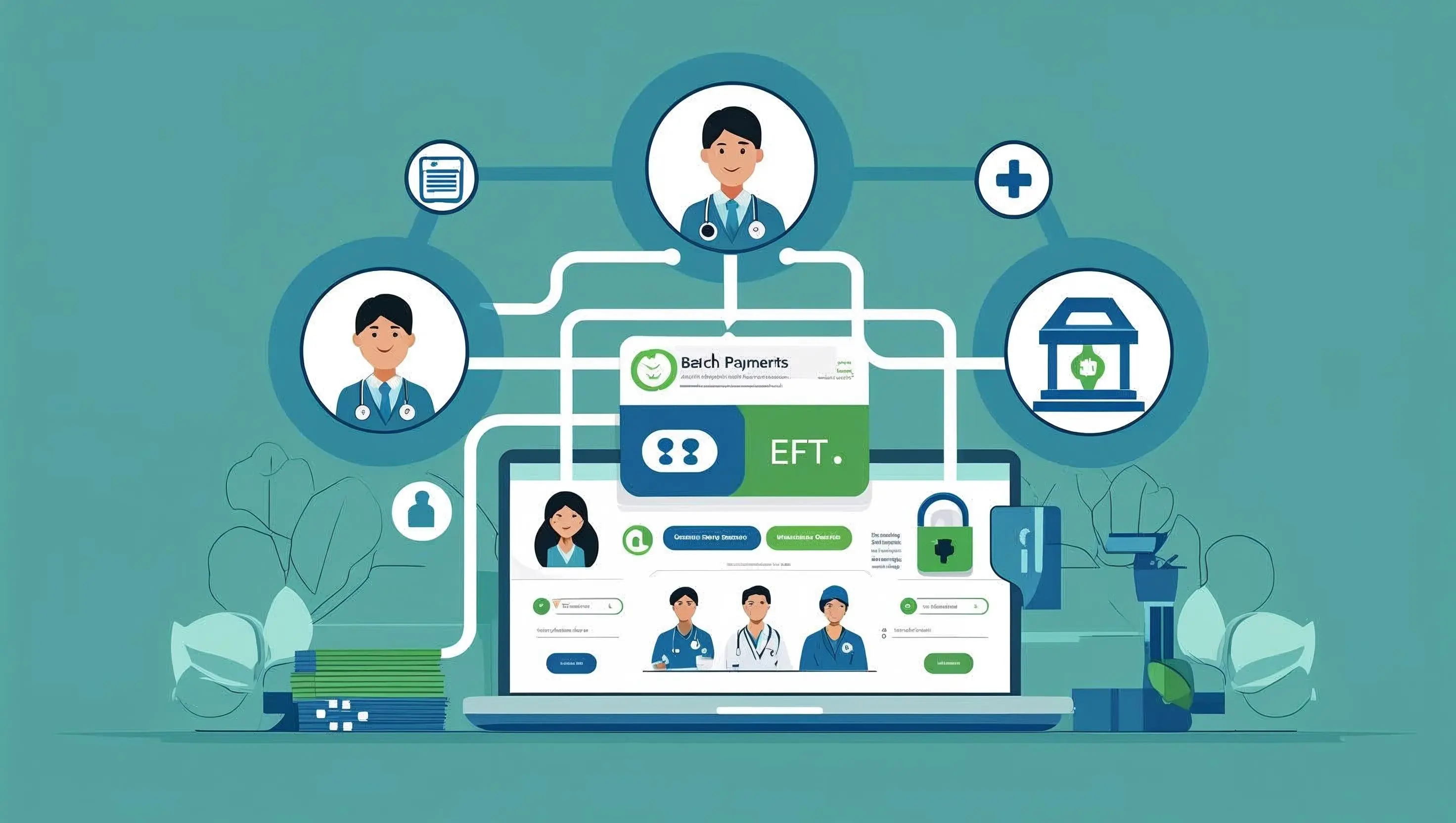
If you’ve ever opened a 14-page ERA file, copy-pasted 100 claim lines into your billing system, or reconciled three deposits across five payer portals, you’re not alone. You’re deep in the world of batch payments.
Whether you call it EFT posting, ERA reconciliation, or “just Tuesday,” batch payment processing is a core part of every healthcare revenue cycle.
But here’s the problem: most teams are still managing it manually, inconsistently, or with tools that don’t really fit the workflow.
The good news? Batch payments don’t have to be a pain.
When done right, with the right structure, tools, and light automation, they become one of the most efficient and scalable parts of your billing process.
Let’s walk through real-world batch payment examples in healthcare, from commercial insurance reimbursements to out-of-network claims. You’ll see how different teams structure their workflows, where things get messy, and how browser-based automation tools like Magical are helping ops pros clean it all up.
Let’s dive into the batch breakdowns you wish someone had shown you on day one.
What Is a Batch Payment in Healthcare?
A batch payment in healthcare refers to a group of insurance claim payments processed and delivered together, typically via Electronic Funds Transfer (EFT) and detailed in an accompanying Electronic Remittance Advice (ERA) file.
Rather than issuing separate payments for each individual claim, payers bundle multiple processed claims into a single EFT deposit. These payments are then posted as a batch to the provider’s system, mapped line-by-line to each patient encounter using the data in the ERA.
Why Batching Exists (and Why It Matters)
Batch payments aren’t just a convenience—they’re essential in a high-volume billing environment. Healthcare providers submit thousands of claims each month, and payers respond with consolidated reimbursements to reduce processing complexity, bank transaction volume, and administrative overhead.
In fact:
93% of medical claim payments are now sent via EFT, according to the 2023 CAQH Index, up from just 62% a decade ago.
EFT adoption has saved the healthcare industry over $1.8 billion annually in administrative costs by reducing the need for manual check processing, per CAQH research.
But here’s the catch: while EFT and ERA adoption is up, most provider organizations still rely on manual workflows to match those batch payments to patient claims—introducing delays, inconsistencies, and preventable errors.
What’s Included in a Typical Batch Payment?
A standard EFT batch may include:
Dozens (sometimes hundreds) of individual claim payments
Various adjustment types (contractual, patient responsibility, write-offs)
Denial reasons or explanation codes
Summary-level totals that must match the EFT deposit
The accompanying ERA (ANSI 835 format) contains the detail required to:
Match each payment to the original claim
Allocate funds to specific service lines
Post adjustments and close out accounts
In short, batch payments are the central bridge between the payer and your revenue. Done right, they speed up your cash flow. Done wrong, they cause backlogs, denied claims, and missed dollars.
Batch Payment Use Cases in Healthcare Operations
Batch payments show up in nearly every corner of healthcare revenue operations. But depending on your organization’s size, specialty, and payer mix, how you process, post, and reconcile those batches can vary significantly.
Below are five real-world examples of batch payment workflows across different healthcare settings, along with the tools used and common challenges faced in each scenario.
Insurance Reimbursement Posting from a Commercial Payer (e.g., BCBS)
Scenario: A multispecialty clinic receives a single EFT from Blue Cross Blue Shield for 45 processed claims.
The process:
EFT hits the clinic’s account
ERA (835) file downloaded from Availity
Payments posted as a batch in the EHR
Tools involved: Availity + EHR (e.g., Kareo, athenahealth)
Challenges:
Matching claims with modifiers
Manual entry for denied or underpaid claims
Opportunity: Use Magical to automate copying line items from ERA to patient accounts and applying standard adjustment codes
Medicare EFT Batching at a Large Health System
Scenario: A hospital receives weekly EFTs from Medicare, bundling 200+ inpatient and outpatient claims into one deposit.
The process:
ERA file pulled via Waystar or MAC portal
Bulk load into the billing system for auto-posting
Finance team reconciles against the bank deposit
Tools involved: Waystar, enterprise billing system, Excel (for batch logs)
Challenges:
Takebacks and zero-pay claims require manual review
Balancing across multiple departments
Opportunity: Automate keystrokes and standard memos using Magical for faster exception resolution
Specialty Billing Group Posting Out-of-Network Reimbursements
Scenario: An out-of-network billing firm receives EFTs and paper checks for specialty claims with no ERA support.
The process:
Manual entry of claim payments into Excel or PM system
No 835 file—must rely on scanned EOBs or payer emails
Tools involved: Email, Excel, PM system
Challenges:
Extremely manual process
High potential for data entry errors
Opportunity: Magical can extract payer info from emails or PDFs and paste it into the billing software using custom keyboard triggers
Dental Practice Using Office Ally for Weekly Batches
Scenario: A dental practice posts weekly batches of payments from private dental insurers.
The process:
ERA downloaded from Office Ally
Reconciliation against paper EOBs for some payers
Posting into Dentrix or another dental-specific PM
Tools involved: Office Ally, Dentrix, occasional use of QuickBooks for deposit logs
Challenges:
Limited automation support in legacy dental software
No standard format for ERA display
Opportunity: Use Magical to create reusable snippets for common services and adjustment codes
Billing Company Reconciles Batches Across Multiple Payer Portals
Scenario: A third-party billing company manages batch payment posting for 10+ practices across several payer portals.
The process:
Log into each payer portal to retrieve ERA
Reconcile against EFTs in each client’s bank system
Post into multiple PM systems
Tools involved: Multiple clearinghouses + PMs + spreadsheets
Challenges:
High tab fatigue and error risk
Posting formats vary drastically across clients
Opportunity: Magical standardizes repetitive tasks across portals—cutting keystrokes, clicks, and context switching
Each of these examples highlights one universal truth: the workflow changes, but the problems are the same. Manual posting, too many systems, and too much time wasted on repeatable tasks.
How Magical Supports These Batch Payment Workflows
You’ve seen how batch payments play out in the real world, across payer types, platforms, and specialties.
Now here’s the part that changes the game:
Magical doesn’t replace your clearinghouse, billing software, or EHR. It enhances them.
It’s the layer of automation your workflow has been missing—designed to eliminate the exact repetitive tasks that slow down every batch payment process.
Where Magical Fits In Your Workflow
No matter what tools you use, there’s always a stretch of the process where a human has to:
Copy claim info from an ERA
Paste it into a patient record
Type the same payment note or adjustment code… over and over again
That’s where Magical goes to work.
It lives in your Chrome browser and lets you:
Create custom snippets that autofill repetitive text, claim info, or code combinations
Automate clipboard actions, so you can copy from Availity and paste into your EHR with one shortcut
Trigger entire posting routines (claim #, payment, write-off reason, memo) with just a few keystrokes
It’s like having a virtual assistant for all the repetitive parts of batch posting, without needing IT or integrations.
Magical in Action: Common EFT Posting Automations
Manual Task | Magical Shortcut |
Copying claim # from ERA to EHR | Clipboard workflow triggers |
Re-entering same payment note in every line | Custom snippet (e.g. |
Logging batch IDs and totals in Excel | Autofill snippet across rows |
Entering write-off codes 30+ times | Multi-field text shortcut |
Switching between portals and systems | One-snippet clipboard memory |
Real Teams, Real Time Saved
One billing coordinator automated 90% of their BCBS batch posting by creating a few Magical snippets tied to their most common payment lines and adjustment reasons, saving 3+ hours per week.
Another RCM team cut down on tab switching by using Magical to paste data from Availity directly into Athenahealth in seconds—no more double entry or lost context.
Magical isn’t another platform to learn. It’s the fastest way to supercharge the systems you already use, whether you’re in Availity, Kareo, Dentrix, or something homegrown.
Best Practices for Efficient Batch Payment Posting
No matter how advanced your tech stack is (or how manual your systems still feel), efficiency in batch payment posting starts with the right habits.
The fastest teams don’t just rely on automation. They also build smart, repeatable processes that reduce errors, improve tracking, and give their team a clear path to success.
Here are six best practices to help your team post EFT batches faster, cleaner, and with fewer headaches.
Standardize Batch Naming and Organization
Every EFT batch should have a consistent structure for:
File names (e.g.,
BCBS_EFT_2025-06-01)Folder organization (by date and payer)
Reference IDs (for bank deposits and reconciliation logs)
This reduces friction and makes it easier to track down details during audits, denials, or reprocessing.
Validate ERA and EFT Alignment Before Posting
Always confirm that:
The ERA matches the EFT in date, payer, and total amount
All expected claims are listed
No duplicate or missing payments exist
Discrepancies caught early save hours of rework later.
Create Posting Checklists or SOPs
Even if your team knows the workflow by heart, creating a repeatable, written SOP ensures consistency across staff and supports training and cross-coverage.
Include steps for:
ERA download
Reconciliation
Claim matching
Denial routing
Batch closure
Pro tip: Include Magical shortcuts or snippets in your SOP so your team knows exactly what to trigger and when.
Automate the Most Repetitive Inputs
Don’t waste staff hours typing:
The same write-off codes
Adjustment reason notes
Payment memos
Claim numbers
Instead, use Magical to:
Auto-fill those fields with one keyboard shortcut
Copy/paste claim lines between systems without switching tabs
Create batch-specific templates that handle 80% of the process instantly
Track Exceptions and Denials in Real Time
Don’t wait until the end of the week to see what didn’t go through.
Use an exception log (even a shared Google Sheet works) to:
Flag underpayments
Note denial codes
Assign follow-up owners
Add a Magical snippet to auto-fill denial codes or flag notes so nothing falls through the cracks.
Reconcile and Close Each Batch the Same Day
Unreconciled batches are the biggest risk to clean AR and happy payers.
Make it a rule: every batch should be fully reconciled and closed by the end of the business day, even if some lines need to be flagged for follow-up.
You’ll reduce aging, improve accuracy, and keep your team moving forward.
What’s Next: Modernizing Batch Payment Workflows with Automation
Batch payment workflows aren’t going anywhere. If anything, they’re only growing more complex as healthcare payers and providers juggle higher claim volumes, multiple systems, and tighter margins.
But the future of batch payment processing? It’s faster, smarter, and refreshingly lightweight.
Here’s what’s ahead and what healthcare operations teams should prepare for.
Browser-Based Automation Will Fill the Integration Gaps
Most billing systems and EHRs weren’t built to talk to each other. Integration costs are high, IT resources are limited, and many organizations can’t afford the wait.
That’s why more teams are turning to browser-based automation tools like Magical to:
Bridge disconnected systems
Automate clipboard actions and data entry
Customize workflows instantly—without writing a line of code
It’s not about replacing your current stack. It’s about making it work better, faster, and with far less stress.
“Micro-Automations” Will Power Big Time Savings
Forget long, expensive automation projects. The new wave of efficiency is built on micro-automations—small, targeted improvements that solve very specific pain points.
Examples:
Auto-filling denial codes in three keystrokes
Pasting claim data from Excel into your EHR with one shortcut
Logging batch payment totals in seconds
Individually, these may save a few minutes. But scaled across your team, they translate into dozens of hours reclaimed each week.
Ops Teams Will Lead the Automation Charge
The future isn’t just IT-led automation. It’s ops-driven innovation—where the people who live inside the workflows every day are empowered to improve them.
With tools like Magical:
No coding is required
Onboarding takes minutes
Anyone on your team can create or use automation
That means faster iteration, less frustration, and more impact, without waiting on development cycles.
Expect Greater Accountability and Transparency
As automation increases, so does visibility.
Batch reconciliation tools will start to offer:
Real-time error tracking
Auto-generated audit logs
Smart reporting to catch posting issues early
Teams that combine good automation with great process control will be best positioned for clean AR, fast payments, and happy leadership.
Batch payments might never be glamorous. But with the right tech and the right habits, they can be frictionless, fast, and surprisingly satisfying.
Final Thoughts: Batch Payments Don’t Have to Be a Grind
You already know the power of batching. It’s efficient by design, until manual work, system friction, and inconsistent processes get in the way.
But it doesn’t have to be this way.
From high-volume clinics to specialty billing teams, healthcare ops professionals are finding smarter, faster ways to handle batch payment workflows, without ripping out their current tech stack.
That’s where Magical comes in.
It’s the lightweight automation tool that sits in your browser and helps you:
Post payments faster with fewer errors
Automate the clipboard and keystroke chaos between systems
Reclaim hours of time (7 hours on average) every single week
No integrations. No IT. No long ramp-up.
Just install and go.
Ready to make batch payments the easiest part of your day?
Try the free Magical Chrome Extension for free or book a demo to see how it fits into your real-world workflow.
Less typing.
Fewer tabs.
More done.